QLED TV: Samsung Smart Television
Important Note: The information on this page is for Hong Kong products only. Models, sequences or settings will vary depending on location and/or where the product had been purchased. To be redirected to your local support page please click here.
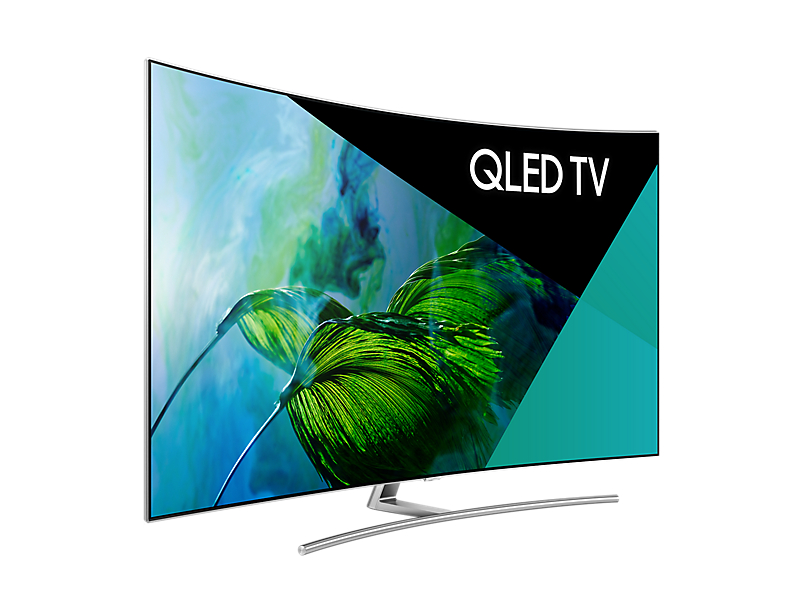
Samsung QLED TVs have a quick and simple setup and provides ultra-fast Automatic Detection of input sources. The QLED TV detects the type of HDMI connected devices and automatically adopts a suitable type of picture mode for best viewing experience.
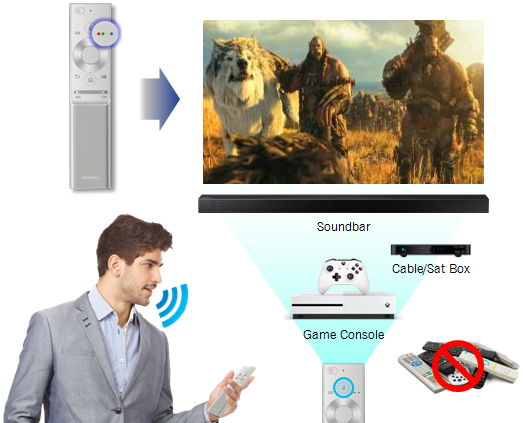
Samsung's One Remote control lets you control all the contents on your television and compatible connected devices like UHD Blu-ray player, Sound bar, Game Console, Cable/Sat box etc. just using a single remote control (Please refer Samsung website for a list of compatible devices). One remote also provides the functionality of voice control, so you can speak and control your QLED TV.
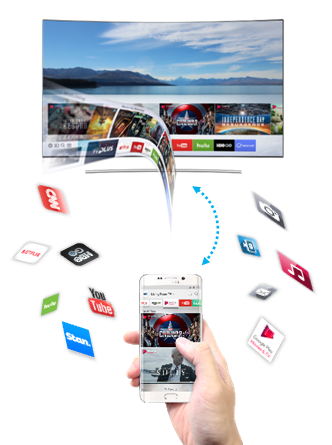
Smart View App lets you control your QLED TV just like a remote control. Using the Smart Hub as an interface you can view contents either on your compatible mobile device or your QLED television.
Also take advantage of built-in Stream Link and enjoy playing high quality video games and built in apps like Netflix, YouTube, Stan etc...
Pictures/ Images are for reference only. Google+, Google, the Google logo, Google Search, Google Maps, Gmail, YouTube, Android, Google Play and Messenger are the trademarks of Google Inc. All other products and services mentioned may belong to their respective trademark owners.
If the above information does not match what your product is showing, you may check the User Manual for your product. If you are unable to solve the problem, please contact us for further assistance.
Thank you for your feedback!
Please answer all questions.
RC01_Static Content : This text is only displayed on the editor page